

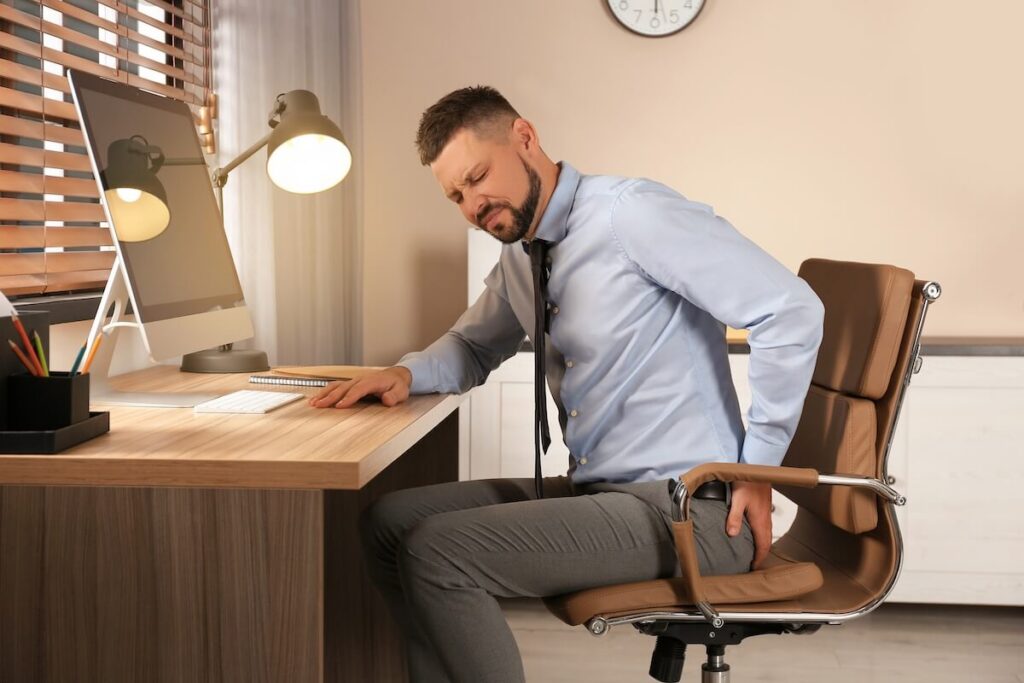
Desk job back pain is one of the most common complaints we hear at our Bergen County offices. After all, you don’t lift heavy things or twist and bend all day. Instead, you sit in a nice office chair, in a climate-controlled room — and yet your back aches every evening, your neck is stiff by Wednesday, and headaches creep in by 3 p.m.
- What sitting actually does to your spine: the science behind desk job back pain
- Tech neck, forward head posture, and upper crossed syndrome
- The hidden link: how desk posture triggers headaches
- 5 ergonomic changes to reduce desk job back pain today
- The 2-minute desk reset: stretches for every hour
- When to see a chiropractor vs. a physical therapist for desk job back pain
- How Graston, ART, and RockTape accelerate recovery
- Frequently asked questions about desk job back pain
The reason? Sitting — the thing we all assume is harmless — is actually one of the most mechanically demanding things your spine endures. And if you’re doing it for 8 or more hours a day, 5 days a week, the cumulative damage is very real.
However, the good news is that you don’t need to quit your job. What you do need is to understand what’s happening, make a few strategic changes, and know when it’s time to get professional help. Here’s the full picture.
What sitting actually does to your spine: the science behind desk job back pain
Your spine is designed for movement. In fact, it’s an engineering marvel of curves, discs, and muscles that distribute load efficiently — when you’re standing, walking, or changing positions regularly. However, sitting removes most of that dynamic support.
When you sit, especially in a slouched or hunched position, your lumbar spine loses its natural inward curve (lordosis). As a result, this shifts the load from the bony vertebral column onto the softer structures — particularly the intervertebral discs. Research has consistently shown that sitting increases intradiscal pressure in the lumbar spine by approximately 30–40% compared to standing upright.
Increase in lumbar disc pressure when sitting vs. standing
Of continuous sitting produces measurable disc height changes
Recommended repositioning interval to reduce spinal load
A study using MRI imaging found that as little as four hours of continuous sitting produced measurable changes in lumbar disc height, with the greatest impact at the L4–L5 level — the most common site for disc herniation. The researchers also found that brief positional changes every 15 minutes significantly reduced these changes.
The sitting cascade: how desk job back pain travels up your spine
Moreover, it’s not just the low back. Prolonged sitting creates a cascade of postural compensations that travel up the spine:
- Your pelvis tilts backward, flattening the lumbar curve and increasing disc pressure
- Your thoracic spine rounds forward (kyphosis), compressing the front of the thoracic discs
- Your head drifts forward to keep your eyes on the screen, loading the cervical spine
- Your shoulders roll inward, shortening the chest muscles and weakening the upper back
In other words, this isn’t just poor posture. It’s a progressive, predictable breakdown of the very structures designed to keep you pain-free.
Tech neck, forward head posture, and upper crossed syndrome
If you’ve heard the term tech neck, it’s not a buzzword — it’s a clinical pattern that chiropractors and physical therapists see every single day. Specifically, tech neck refers to the forward head posture and rounded shoulders that develop from hours of looking at screens, whether it’s a laptop, a phone, or a monitor positioned too low.
To understand why this matters, consider the biomechanics: your head weighs about 10–12 pounds in neutral alignment. But for every inch it shifts forward, the effective load on your cervical spine increases by roughly 10 additional pounds. At two inches forward — a common position for laptop users — your neck muscles are working as though your head weighs 30 pounds. All day. Every day.
What is upper crossed syndrome?
Over time, this forward posture creates a specific muscle imbalance pattern that clinicians call upper crossed syndrome:
Muscles that get tight
Upper trapezius, levator scapulae, pectorals (chest), and suboccipital muscles at the base of the skull. These shorten and pull the head forward and shoulders inward.
Muscles that get weak
Deep cervical flexors (front of neck), lower trapezius, and rhomboids (between shoulder blades). These lengthen and lose their ability to hold you upright.
The result
A self-reinforcing cycle: the tight muscles pull you into poor posture, which weakens the corrective muscles further, which makes the posture worse.
Consequently, upper crossed syndrome doesn’t just cause neck and shoulder pain. It also changes the mechanics of your entire upper body, affecting breathing depth (because rounded shoulders compress the rib cage), jaw alignment (contributing to TMJ issues), and even circulation to the arms and hands.
The hidden link: how desk posture triggers headaches
Here’s something that surprises many patients: their chronic headaches aren’t starting in their head — they’re starting in their neck.
Cervicogenic headaches are headaches that originate from dysfunction in the upper cervical spine (C1–C3) and are referred into the head, temples, behind the eyes, or across the forehead. Unfortunately, they’re commonly mistaken for tension headaches or migraines, which means many people are taking medication for a headache that could be addressed at its source.
Importantly, forward head posture is one of the primary drivers. When the upper cervical joints become restricted from sustained poor posture, the suboccipital muscles at the base of the skull tighten, compressing the greater occipital nerve. As a result, you get a dull, aching headache that worsens throughout the workday and often peaks in the late afternoon.
If this sounds familiar: Headaches that come on during or after work, feel worse on one side, are accompanied by neck stiffness, and improve on weekends or vacations are classic signs of cervicogenic headaches. A proper assessment of your cervical spine can determine whether your headaches are posture-driven.
5 ergonomic changes to reduce desk job back pain today
Before you invest in expensive equipment, start with the fundamentals. In particular, these five adjustments can meaningfully reduce the mechanical stress on your spine:
- Raise your screen to eye level. The top of your monitor should be at or slightly below eye height. For laptops, this means using a separate keyboard and mouse with a laptop stand. Notably, this single change eliminates the downward gaze that drives forward head posture.
- Position your chair so your hips are slightly above your knees. As a result, this maintains a gentle forward tilt of the pelvis, which preserves lumbar lordosis. If your chair doesn’t support this, a small wedge cushion can help.
- Keep your feet flat on the floor (or on a footrest). Otherwise, dangling feet pull the pelvis into posterior tilt, which flattens the lumbar curve and increases disc pressure.
- Place your keyboard and mouse close enough that your elbows stay near your sides. Reaching forward pulls the shoulders into protraction and loads the upper trapezius — a major contributor to neck and shoulder tension.
- Set a timer for every 50 minutes. Then stand up, walk for 2–3 minutes, and do one or two of the stretches below. Research shows that regular micro-breaks are more effective than a single long break for reducing cumulative spinal load.
The 2-minute desk reset: stretches for every hour
Fortunately, these four stretches can be done at your desk in under two minutes. They target the exact muscle groups that tighten from prolonged sitting:
Chin Tuck
Sitting tall, draw your chin straight back (making a "double chin") without tilting your head up or down. Hold for 5 seconds, then repeat 6 times. As a result, this activates the deep cervical flexors — the muscles that counteract forward head posture.
Doorframe Chest Stretch
Place both forearms on a doorframe at shoulder height, then step one foot through and lean forward until you feel a stretch across the chest and front of the shoulders. Hold 15 seconds each side. In turn, this opens the pectorals that pull the shoulders forward.
Seated Thoracic Extension
First, clasp your hands behind your head, elbows wide. Then gently arch your upper back over the top of your chair, looking up slightly. Hold 5 seconds, repeat 5 times. This reverses the thoracic kyphosis that accumulates from hours of screen work.
Standing Hip Flexor Stretch
Step one foot forward into a half-lunge, keeping your back leg straight and pelvis tucked under. You should feel the stretch in the front of the back hip. Hold 15 seconds each side. Because prolonged sitting shortens the hip flexors, this stretch directly counteracts the pull on your lumbar spine.
Above all, consistency matters more than duration. Doing these stretches every hour for 2 minutes is dramatically more effective than a 20-minute stretching session once a day.

When to see a chiropractor vs. a physical therapist for desk job back pain
Ergonomic changes and stretches are essential — but for many desk workers, months or years of poor posture have already created structural changes that self-care alone can’t reverse. In these cases, professional intervention makes the difference.
Chiropractic care is particularly effective when joints in the cervical and thoracic spine have become restricted. These restrictions are common in desk workers and directly contribute to stiffness, reduced range of motion, and the headache patterns described above. As a result, adjustments that restore normal joint mechanics often provide immediate relief.
On the other hand, physical therapy excels at correcting the underlying muscle imbalances — the weak deep neck flexors, the inhibited lower traps, the tight hip flexors — that cause the poor posture in the first place. Specifically, a PT will design a progressive strengthening program that makes the corrections permanent rather than temporary.
Best approach? Both. At The Spine & Health Center, your chiropractor and physical therapist work from the same care plan. The chiropractor restores joint mobility so the exercises can work more effectively, while the PT builds the muscular endurance to hold those corrections throughout the workday. This integrated approach is what turns short-term relief into long-term change.
How Graston, ART, and RockTape accelerate recovery from chronic posture issues
For desk workers with chronic, deeply ingrained posture patterns, there are three specialized techniques that can significantly speed up the correction process:
Graston Technique
Instrument-assisted soft tissue mobilization that breaks down fascial adhesions in chronically tight muscles (especially the upper traps, suboccipitals, and pectorals). Remarkably effective for tech neck stiffness.
Active Release Technique
A hands-on method that combines precise pressure with active patient movement to release muscle adhesions and restore normal tissue glide. Ideal for forearm, shoulder, and neck tension common in keyboard-heavy work.
RockTape
Kinesiology taping applied to the upper back and shoulders that provides postural cuing throughout the day. The tape gently reminds your muscles to activate in the corrected position — extending your treatment between visits.
Importantly, these aren’t standalone treatments — they’re tools that your care team layers into a comprehensive plan alongside adjustments, exercises, and ergonomic guidance.
Frequently asked questions about desk job back pain
Can sitting at a desk all day cause back pain?
Yes. Research shows that prolonged sitting increases intradiscal pressure in the lumbar spine by 30–40% compared to standing. As a result, this can lead to disc dehydration, bulging, muscle deconditioning, and chronic low back pain. In fact, studies found that as little as 4 hours of continuous sitting produces measurable changes in lumbar disc height.
What is tech neck and how do I fix it?
Tech neck is the forward head posture and rounded shoulders caused by looking down at screens. For every inch your head moves forward, the effective load on your cervical spine increases by roughly 10 pounds. Therefore, fixing it requires raising your screen to eye level, strengthening deep neck flexors and upper back muscles, stretching the chest, and often chiropractic adjustments to restore cervical alignment.
What is upper crossed syndrome?
Upper crossed syndrome is a muscle imbalance pattern where the chest and front-of-neck muscles become tight while the upper back and deep neck flexors become weak. Consequently, treatment involves stretching tight muscles, strengthening weak ones, and addressing joint restrictions through chiropractic care or physical therapy.
How often should I take breaks from sitting?
Research suggests repositioning every 15 minutes and taking a standing or walking break at least every 50 minutes. Additionally, even brief micro-breaks of 30–60 seconds significantly reduce the cumulative spinal load from prolonged sitting.
Should I see a chiropractor or PT for desk-related pain?
Both can help, and in most cases the best approach combines them. A chiropractor addresses joint restrictions from sustained poor posture, while a physical therapist designs exercise programs to correct underlying muscle imbalances. At The Spine & Health Center, our chiropractors and PTs work together for comprehensive care.
Can desk posture actually cause headaches?
Yes. Forward head posture and upper cervical joint restrictions are a well-documented cause of cervicogenic headaches — headaches originating in the neck but felt in the head, temples, or behind the eyes. Read more: cervicogenic headache relief.
Your spine wasn't built for 8 hours of sitting. Let's fix what it's doing to you.
- Closter: 31 Vervalen St, Closter, NJ 07624
- Park Ridge: 146 Kinderkamack Rd, Park Ridge, NJ 07656
- Montvale: 32 Philips Pkwy, Montvale, NJ 07645
Disclaimer: This blog post is for informational purposes only and does not constitute medical advice. If you are experiencing pain, consult a qualified healthcare professional for a personalized evaluation.
Talk to someone about your case
This article is general information, not a diagnosis. If what you have been reading sounds like your situation, the useful next step is an in-person evaluation so someone can examine you and tell you what is actually going on. We see patients at three Bergen County offices: Montvale, Closter, and Park Ridge. Choose the location that is most convenient for you to learn more or request an appointment.